

Available on Google Play
SwoLifts 1.3.0 was released on November 11, 2026 and is available on Google Play. The screenshots below show the Android app with synthetic sample data. Select any screenshot to open it at full size.
Where to find the changes
- Muscle volume map: open Progress → Muscles.
- Weekly volume chart: open Progress → Volume.
- Workout search and calendar: open History, then use search or Your consistency.
- Workout comparison: open a completed workout from History, or choose View Summary after finishing a workout.
See where your training volume goes
In Progress → Muscles, tap the front or back body map to see a muscle group's lifting volume and share of the total. The selected period stays visible beside the reading, so you always know which weeks you are viewing. A numeric breakdown provides another way to select each group.
The map counts primary muscles only. Colour shows recorded lifting-volume share, not recovery, muscle growth or training quality.
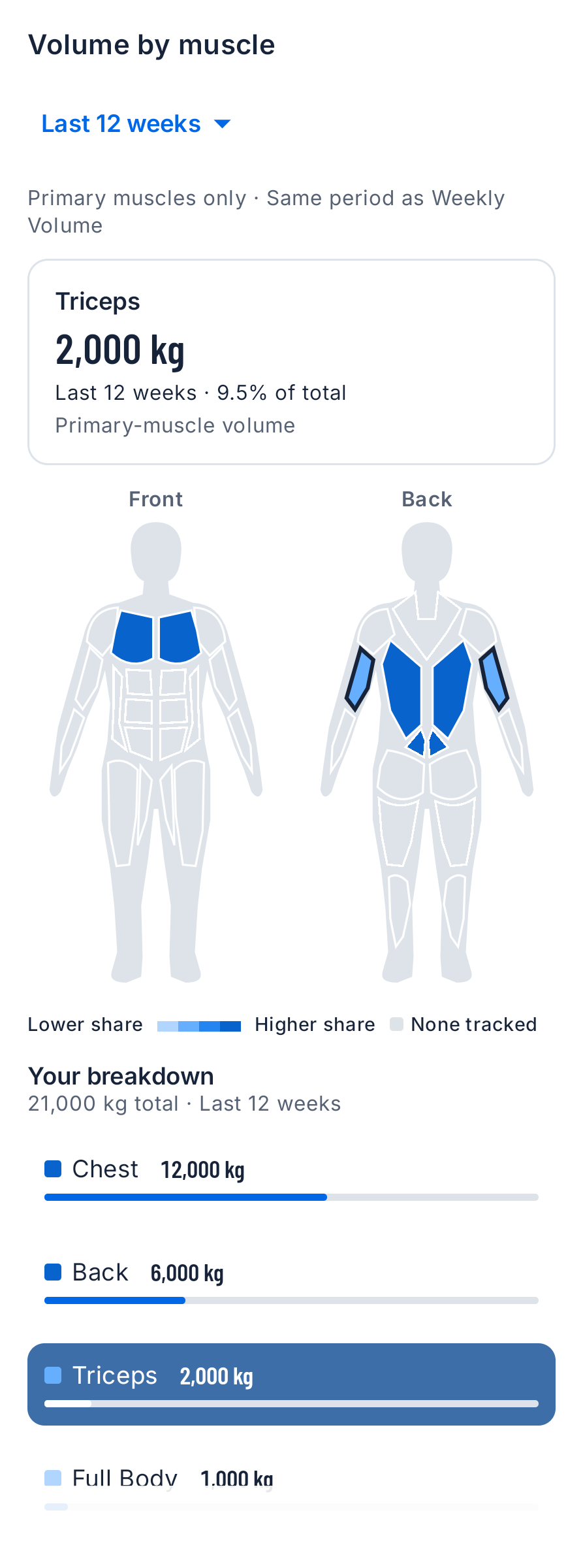
Find it: Progress → Muscles. The selected muscle's volume and share appear above the body map.
Explore weekly volume without a long scroll
In Progress → Volume, tap or drag across the weekly bars to read the full total for a week. Previous and next controls provide the same readings without dragging. Longer histories are paged in groups of up to 12 weeks; each bar always represents one week.
Progress shortcuts take you directly to Strength, Volume, Muscles and Bodyweight. History calculations run in the background, and the current view stays visible while refreshed results are prepared.
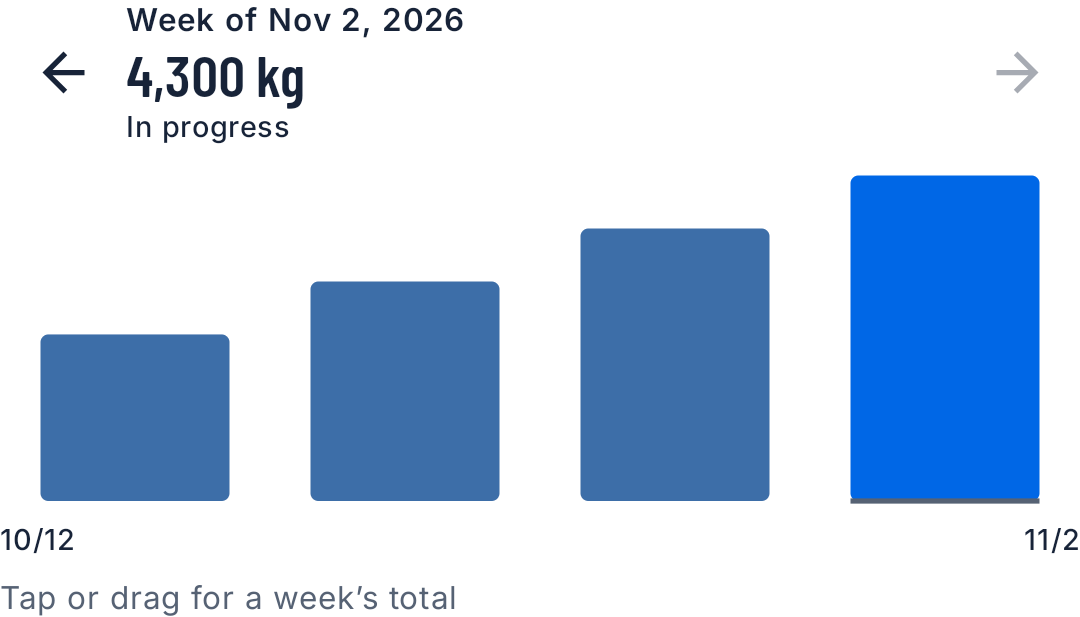
Find it: Progress → Volume. Select a weekly bar to see its exact lifting-volume total.
Find a workout and browse your consistency
Search History by workout or exercise name, including familiar exercise abbreviations such as RDL. Search and date filters work together.
In Your consistency, swipe or use the arrows to browse months. Tap the month heading to choose a month and year, or tap a day to filter your workout list.
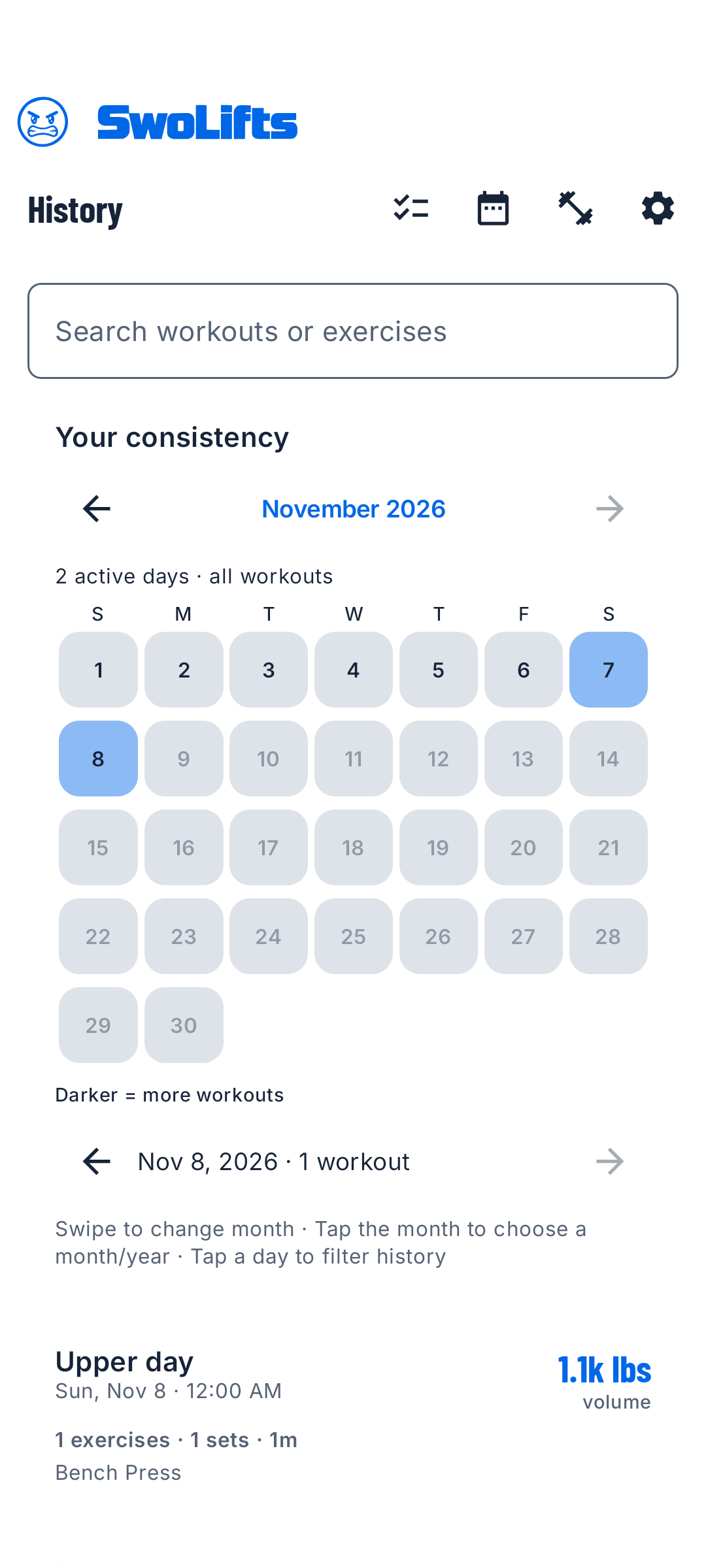
Find it: History. Search is above the Your consistency calendar and completed-workout list.
Compare a completed workout with last time
Open a completed session or choose View Summary after finishing. When a comparable earlier workout exists, the summary shows completed sets, duration and a shared weighted exercise's top set, with weight and reps shown separately. The comparison explains which earlier session it uses.
These are comparisons of your saved workout data, not AI coaching or a claim that every improvement is an all-time personal record.
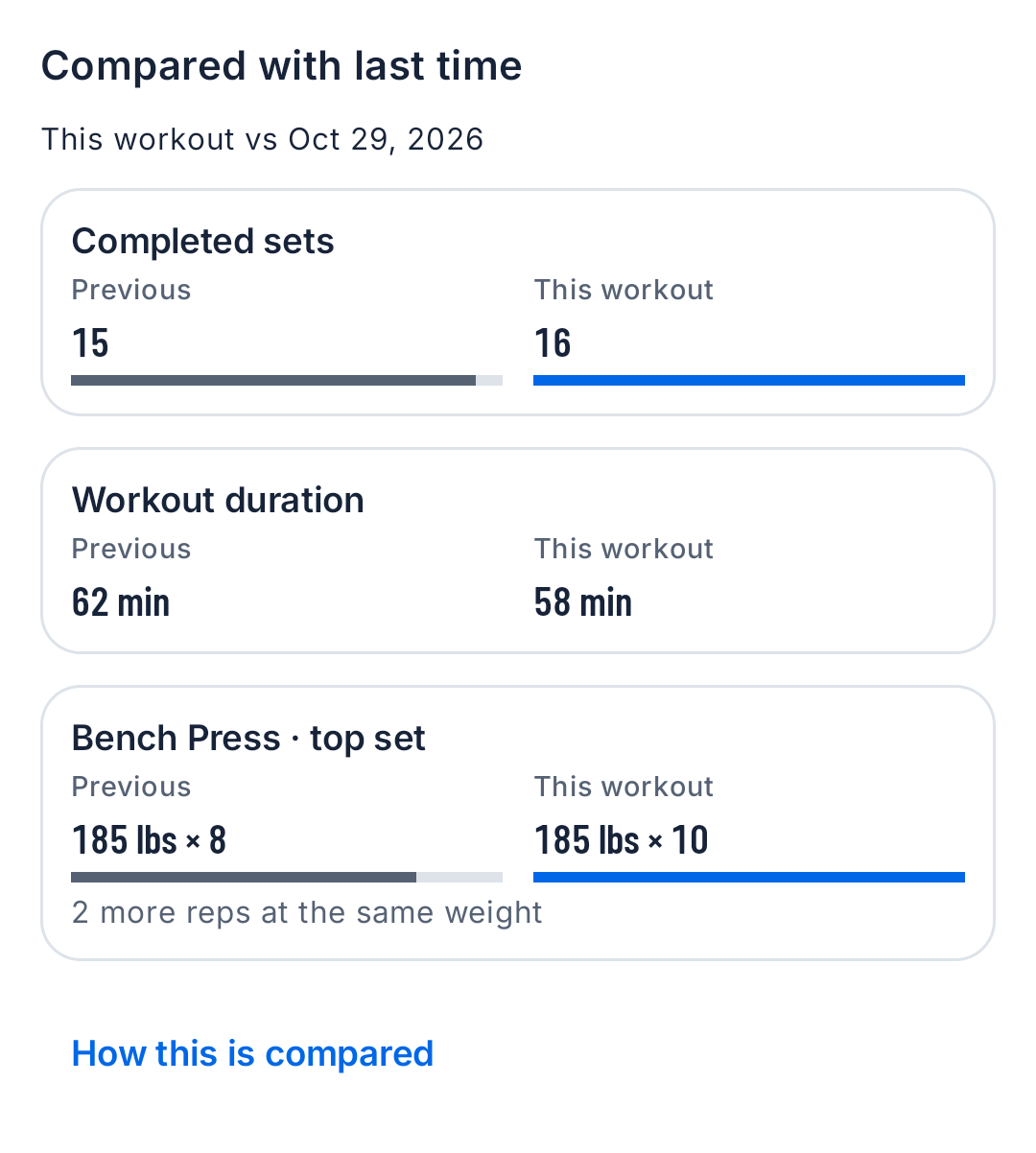
Find it: History → a completed workout, or View Summary after finishing. Comparison details appear when a comparable earlier workout exists.
A more accurate record date
Personal records now use the workout's date, including when you enter an older workout later. Your stored workouts and set timestamps are preserved.
All of these improvements work offline. No account, cloud subscription or AI service is required. Your existing exercise library and SwoLifts backup format stay the same.